

You only need a Windows or macOS computer with internet access to use FixtureSync. If you wish to use the Google Calendar or Google Sheets integration features, you will need a Google account.
Place an order through our website for your free 7-day trial and you will receive a download link via your registered email which includes the software and license key.
Yes, you can cancel your trial at any time with no obligations. Any data you've exported or synchronized will remain in your Google Calendar or Sheets.
Follow the setup guide here: https://fixturesync.com/guides/getting-started/

After providing your Google Calendar ID or Google Sheets ID, FixtureSync can automatically:
Yes! You can either select "All Competitions" or use the club filter to retrieve fixtures for all your teams in one click. You can also save different configurations as tasks for specific teams or competitions.
When you enable automation, FixtureSync checks for updates daily at your specified time. You'll receive email notifications of any changes to your fixtures.
No. FixtureSync is not intended as a replacement for Squadi. You will still need to administer your team sheets, registrations etc as per your usual process. FixtureSync is intended to work in conjunction with Squadi in an effort to make the weekly fixtures more accessible.
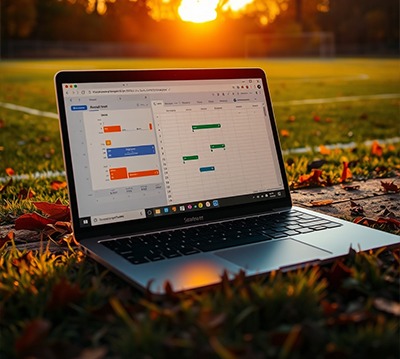


FixtureSync includes built-in error handling and will retry failed operations. If an update fails completely, you should receive a notification, and the task will attempt again at the next scheduled time.
We provide comprehensive setup guidance and support, which can be found on our Technical Support page. If you need assistance, you can reach out via email, and we'll help you get everything configured correctly.
Yes, your computer needs to be turned on and connected to the internet at the scheduled update time for automated tasks to run. If your computer is off or offline during the scheduled time, the update will run at the next scheduled time when your computer is available.
First, check that your Google account has the correct permissions for the calendar/sheet you're trying to access. If issues persist, you can easily re-authenticate through FixtureSync by using the "Manage IDs" button in the integration settings. If you're still experiencing problems, contact our support team and we'll help resolve any connection issues

The trial includes full access to all features of the Full Version, with the only limitation being that fixtures are restricted to the ±30 days.
At the end of your 7-day trial, you'll need to purchase a license to continue using FixtureSync. All your saved tasks and configurations will remain intact when you upgrade.
FixtureSync offers separate license types for Individuals or Clubs for varying license periods:
While pricing is shown weekly for easy comparison, licenses are paid upfront for the full period.
There are two convenient payment options:
Once payment is received, you'll receive a download link via email and your license key.
FixtureSync will continue working until the license expiry date. Prior to expiry, you should receive an email reminder to renew your license. After expiry, the software will stop running until a new license is purchased.
We offer a 7-day free trial so you can fully evaluate FixtureSync. Due to the nature of software licensing, refunds are not guaranteed after purchase. We encourage you to thoroughly test all features during the trial period. Refunds will be at the discretion of the FixtureSync team on a case-by-case scenario. Please refer to the Refund Policy for further information.
You'll receive a renewal reminder before your license expires. You can renew through the website or request a new invoice. Early renewal ensures uninterrupted access to FixtureSync.
Licenses are tied to individual installations. If you need to transfer a license, please contact our support team.


Each Individual License offers you the ability to activate the software on two separate computers.
Each Club License offers you activations on multiple devices.
If you require more than this, we encourage you to contact us.
There's no limit to the number of automation tasks you can create. You can set up different tasks for different teams, competitions, or purposes.
FixtureSync monitors connection status and will retry if Squadi is temporarily unavailable. Unfortunately, if Squadi is unavailable, then FixtureSync will be unable to source new/current fixtures.
No, FixtureSync software only retrieves, exports and synronises fixture information. It is not intended as a replacement for game day teamsheets or player management functionalities.

We are always working to update and improve FixtureSync to ensure compatibility and to add new features. Updates will require a new download but should not affect your saved configurations. You will be advised via email when updates are available.
No, all your tasks and settings should be preserved during updates. If any critical changes require user action, you'll be notified via email.
We actively monitor the fixture platform for any changes and quickly release updates to maintain compatibility. However, if major changes result in prolonged disruption where we cannot restore functionality, we will offer pro-rated refunds for the unused portion of your license period. We'll keep you informed via email about any significant issues and their expected resolution timeframes.
Of course! We welcome feedback from all our users - the good, the bad and the ugly! If you have any new features you would like integrated in future updates, please reach out to us via our various communication channels.

FixtureSync software fetches your team’s football fixtures and can export it to Excel, Google Calendar, and Google Sheets, with options for automated daily synchronisation, at the press of a button.
© 2025 FixtureSync

